Team Management Overview
Team Management controls collaboration members and the resources they can access in the active team. Its pages include Members, Invitation Review, Platform Accounts, and Activity Logs. Switch the active team from the selector at the top.
Open Team Management from the sidebar and choose the page for your task. Menus and buttons are hidden or disabled based on the current member's page and action permissions.
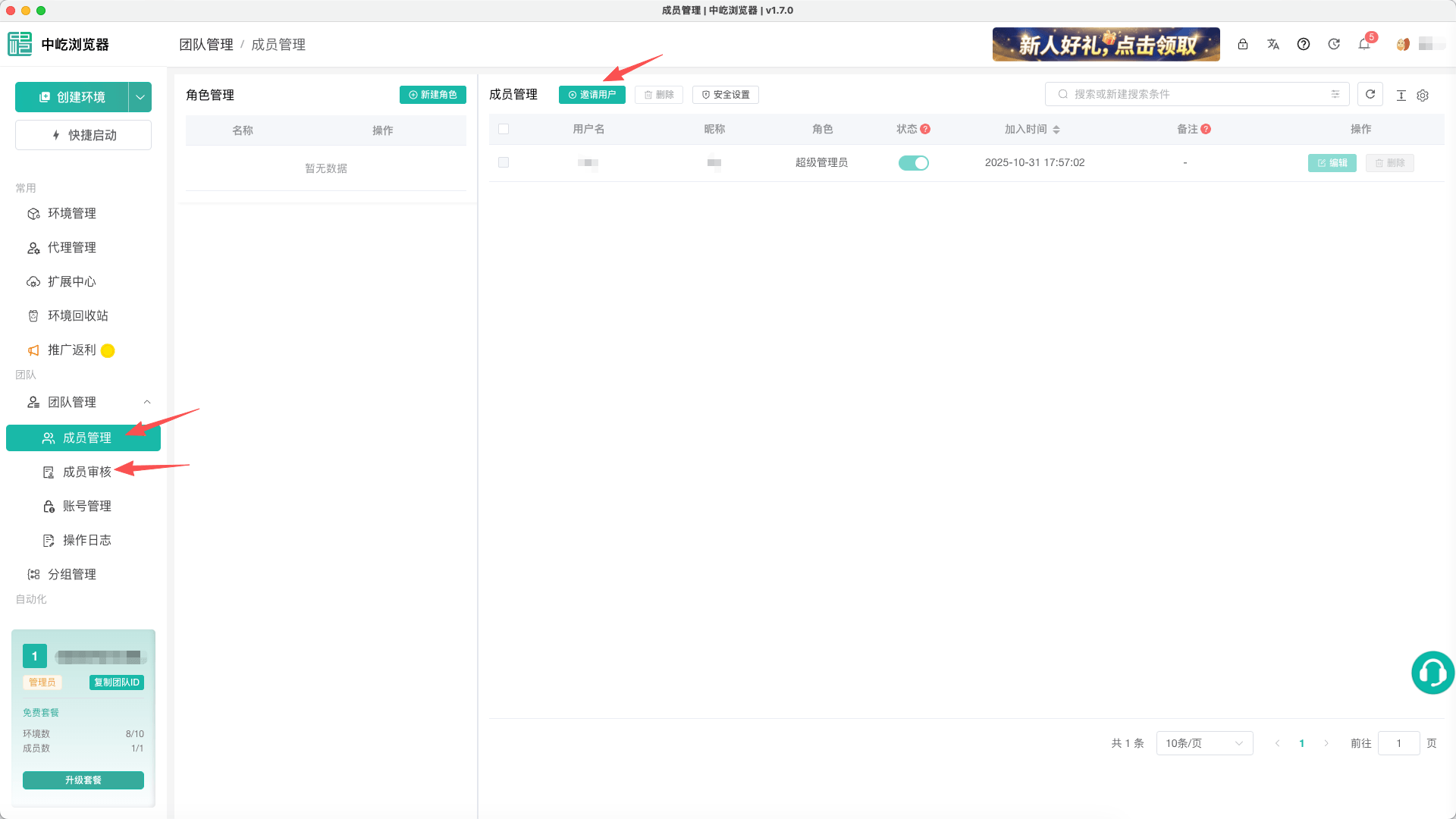
Pages and Purposes
| Page | Purpose | Main actions |
|---|---|---|
Members | Manages roles and members of the active team | Create roles, edit member access, enable members, or remove members |
Invitation Review | Reviews applications submitted through an invitation link or QR code | Approve, reject, and view processed applications |
Platform Accounts | Stores business platform accounts and associates them with browser profiles | Add, edit, delete, and assign profiles |
Activity Logs | Queries important team actions | Filter by operator, module, action, and time, and export results |
Before You Begin
- Confirm the active team at the top. Members, browser profiles, platform accounts, balances, and logs are scoped to that team.
- Administrators should create roles before assigning members their roles, profile groups, and proxy access.
- An approved invitation consumes a team seat. When the plan limit is reached, purchase a team plan before approving another member.
- Never expose platform account passwords, two-factor authentication secrets, or invitation links in screenshots, notes, or shared exports.