Product Overview
What Is ZYBrowser?
ZYBrowser is a multi-account management and automation collaboration tool built around isolated browser profiles. It is designed for multi-account operations, advertising campaigns, and repetitive business automation.
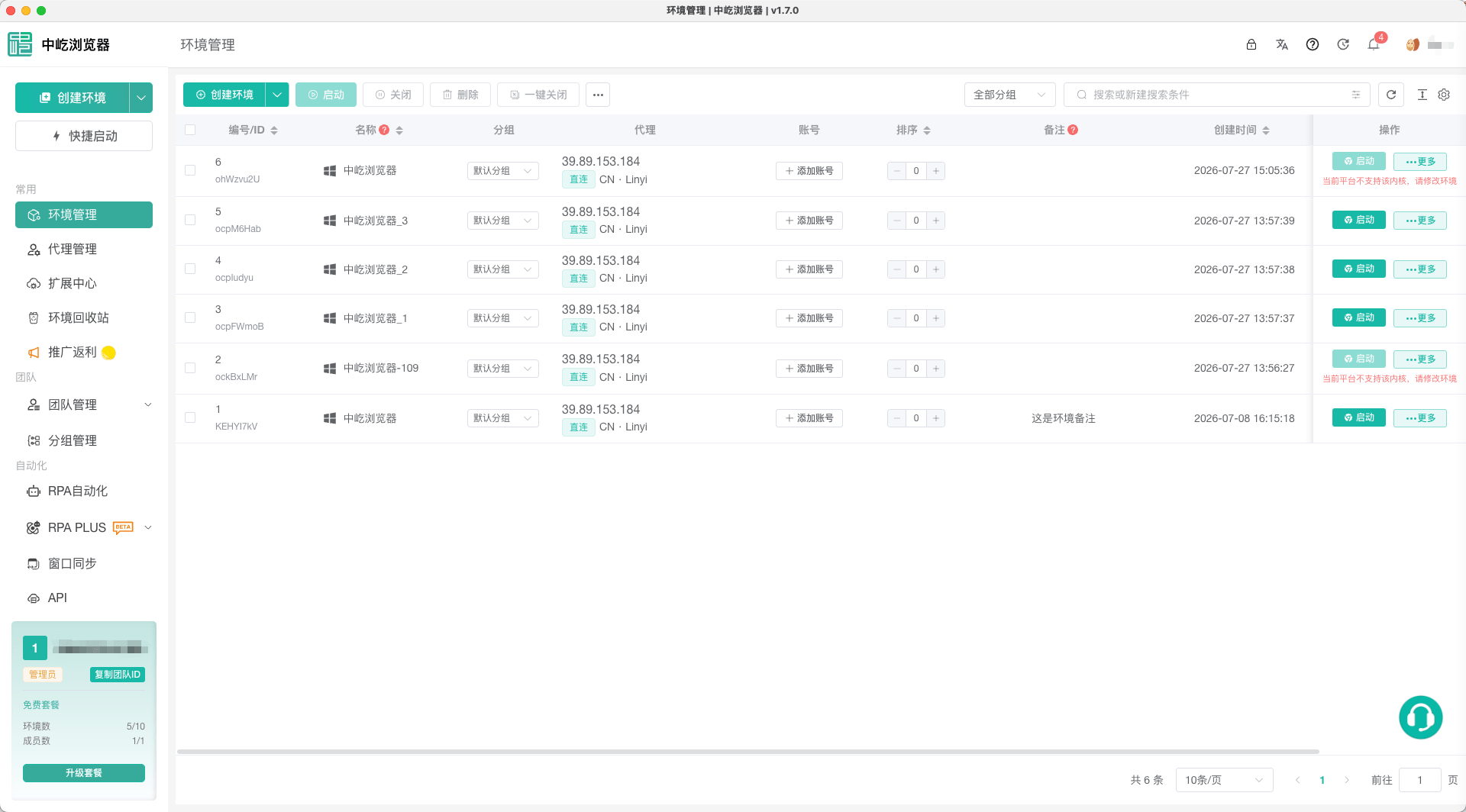
Each browser profile stores its own cookies, cache, login sessions, and browser fingerprint, and can use separate proxy and extension settings. This prevents data from different accounts from being mixed. From one client, you can centrally manage multiple profiles and improve everyday productivity with batch actions, Window Sync, RPA, team permissions, and the Local API.
Key Benefits
Isolated Browser Profiles
Each business account can use a dedicated browser profile. Cookies, cache, login sessions, and browser fingerprints remain isolated between profiles, making account data and runtime settings easier to manage independently.
Batch Management
Launch, close, move, share, or delete multiple browser profiles at once, and update supported settings in bulk to reduce repetitive work across many accounts.
Automation and Collaboration
Use RPA to automate repetitive web actions and data processing, Window Sync to apply the same action across multiple browser profiles, and team roles and permissions to collaborate and share resources securely.
Core Features Are Free
All core features are available free of charge. You only pay when you need additional browser profile capacity, team seats, or proxy services, without upgrading a plan just to access standard profile management and productivity tools.
Main Features
| Feature | Description |
|---|---|
| Browser Profiles | Create, edit, group, migrate, and recover browser profiles, and configure their proxies, device types, and browser fingerprints |
| Proxies | Use integrated proxies, custom proxies, or the Proxy API; test connectivity and assign proxies to browser profiles |
| Extensions | Install extensions from the marketplace or upload custom extensions, then choose the profiles where they apply |
| Batch Management | Launch, close, move, share, and delete profiles in bulk |
| RPA | Create and run automated workflows for web actions, data collection, data processing, and scheduled tasks |
| Window Sync | Synchronize clicks, input, scrolling, and keyboard shortcuts from a controller profile to other profiles |
| Team Management | Manage team members, roles, shared resources, and activity logs |
| API Management | Connect local business scripts through the Local API, manage browser profiles, and query runtime status |
Basic Workflow
- Create separate browser profiles for different accounts or business purposes.
- Configure proxies, device types, browser fingerprints, and extensions as required.
- Launch each profile and sign in to the relevant website in its isolated window.
- Use batch management, Window Sync, or RPA based on the number of profiles and your workflow.
- When several people need access, invite team members and assign appropriate roles and permissions.
Next Steps
If the client is not installed yet, start with Download and Install. After installation and login, continue to Create Your First Browser Profile.