Purchase Proxy IPs
Purchase Proxy buys integrated proxy IPs. Before purchasing, complete Identity Verification. If the account is not verified, the client opens the verification process.
Purchase Steps
- Open
Purchase Proxyunder Billing. - Select the proxy type, bandwidth, and carrier.
- Select a province, city, or random node and enter the number of IPs for each location.
- Select the duration, review the price, submit the order, and pay.
- After purchase, confirm the new record under Review Proxy Status, then follow Test, Assign, and Delete to assign it.
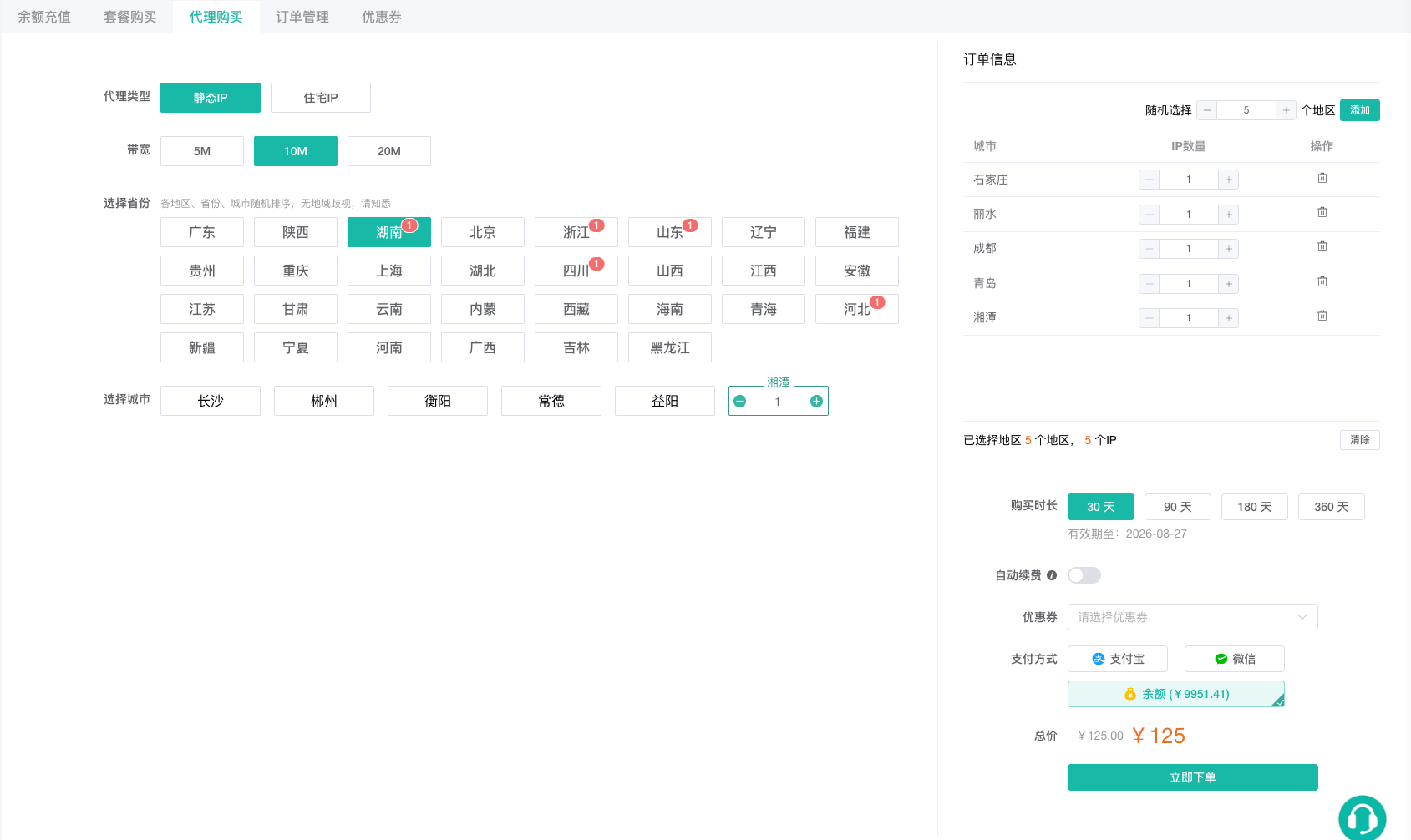
When using random nodes, the random quantity must be greater than zero. Before ordering, confirm that the proxy location complies with your business requirements and review the profile fingerprint under Configure Fingerprints and Common Settings.