Manage Orders
Order Management lists plan orders, top-up orders, proxy orders, and proxy renewal orders. Filter by order type, status, payment method, creation time, or order number, and export the current filtered results.
Process Pending Orders
For a pending order, reopen its payment QR code or close the order. A closed order cannot be paid. After successful payment, its status changes to Completed.
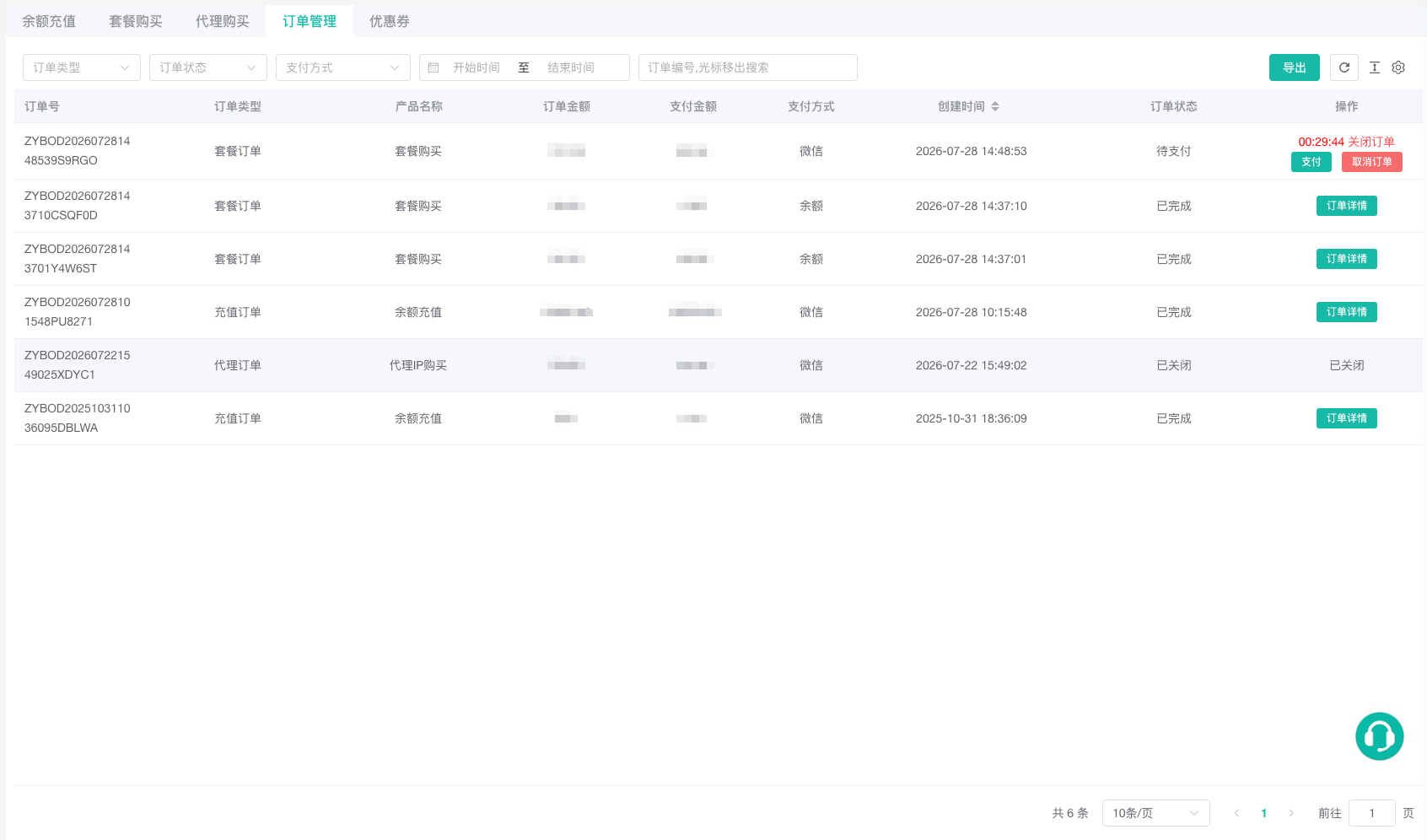
Review Order Details
Plan details include profile capacity, member seats, duration, expiration, and auto-renewal status. Top-up details include the credited amount and balance change; compare them under View Transactions. Proxy details include location, expiration, and masked connection information. After purchase, view the resource under Review Proxy Status.
Order numbers, proxy passwords, and payment information are sensitive. Remove unnecessary account and proxy fields before exporting or sharing order data.