Sync SiYeTian Proxy
If you already purchased proxy IPs from SiYeTian, synchronize the SiYeTian Proxy into the active team's Integrated Proxies from the desktop client. Synchronization and authorization require the desktop client and cannot be completed in the web app.
The SiYeTian account must already contain a SiYeTian Proxy that can be synchronized, and authorization must use the mobile number bound to that account. If the client is not installed yet, download and install it, then register or sign in.
Start Synchronization
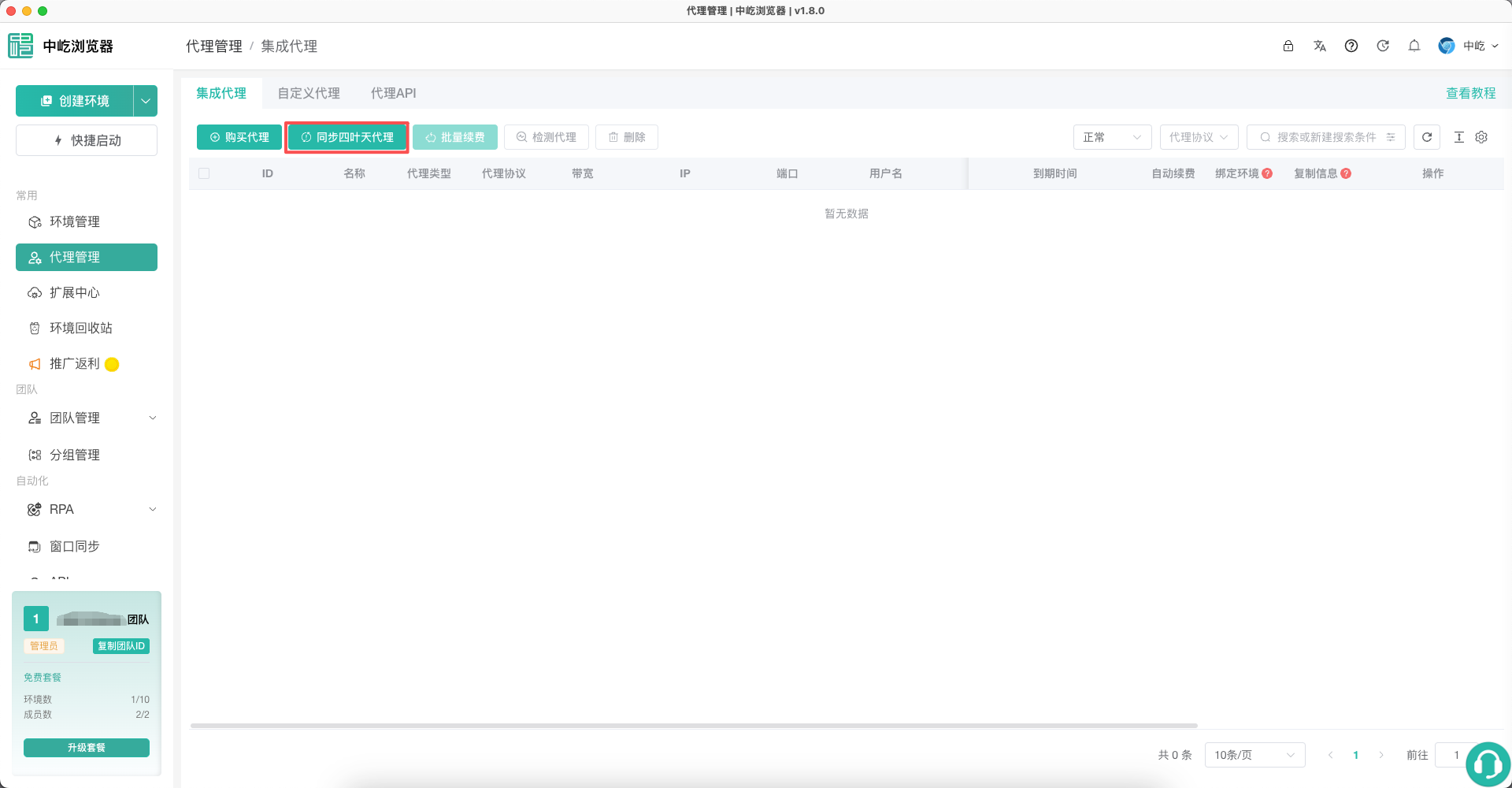
Open Proxies, go to Integrated Proxies, and click Sync SiYeTian Proxy.
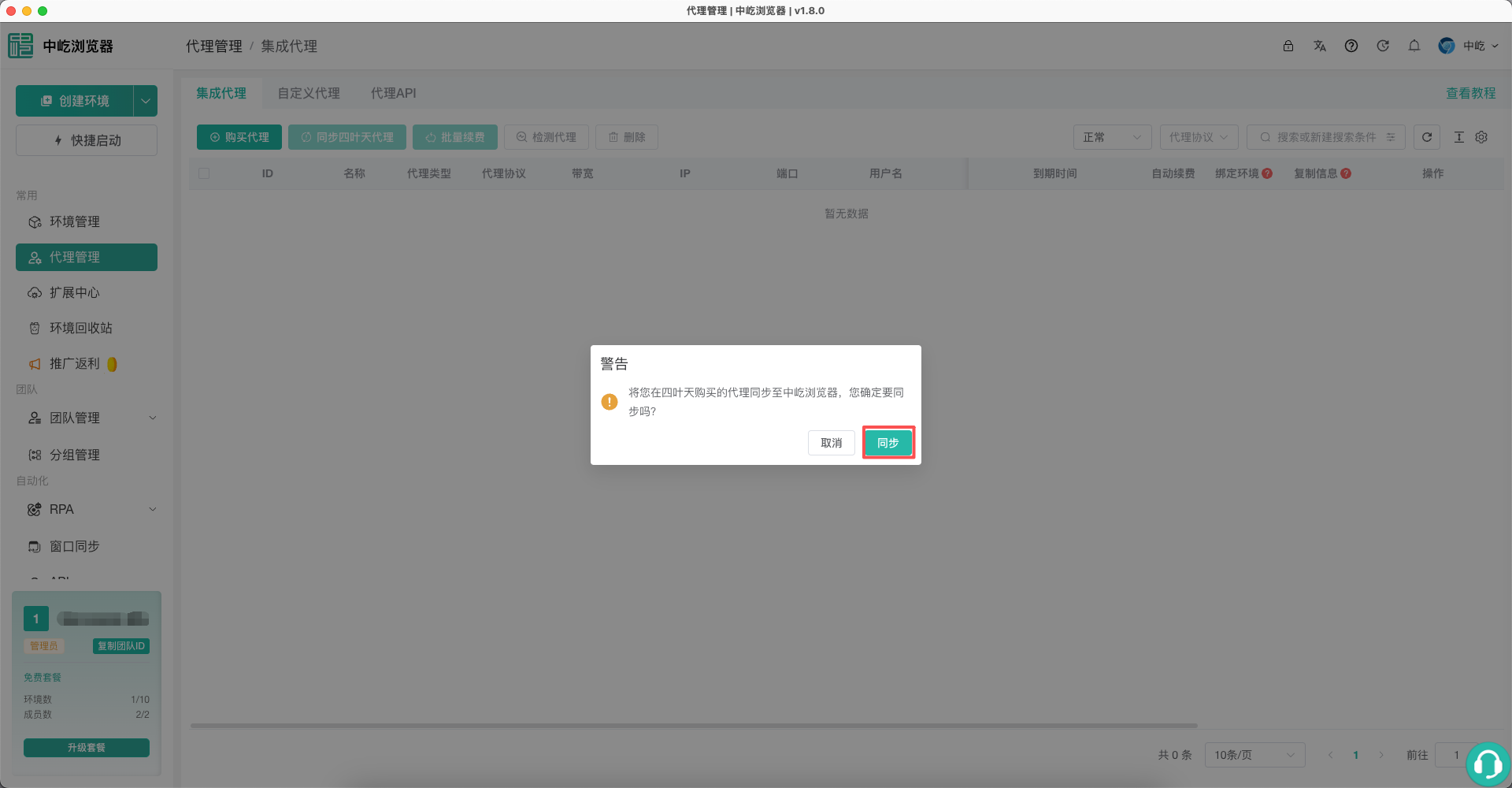
The confirmation dialog explains that a SiYeTian Proxy purchased from SiYeTian will be synchronized into ZYBrowser. Review the message and click Sync.
Authorize Access
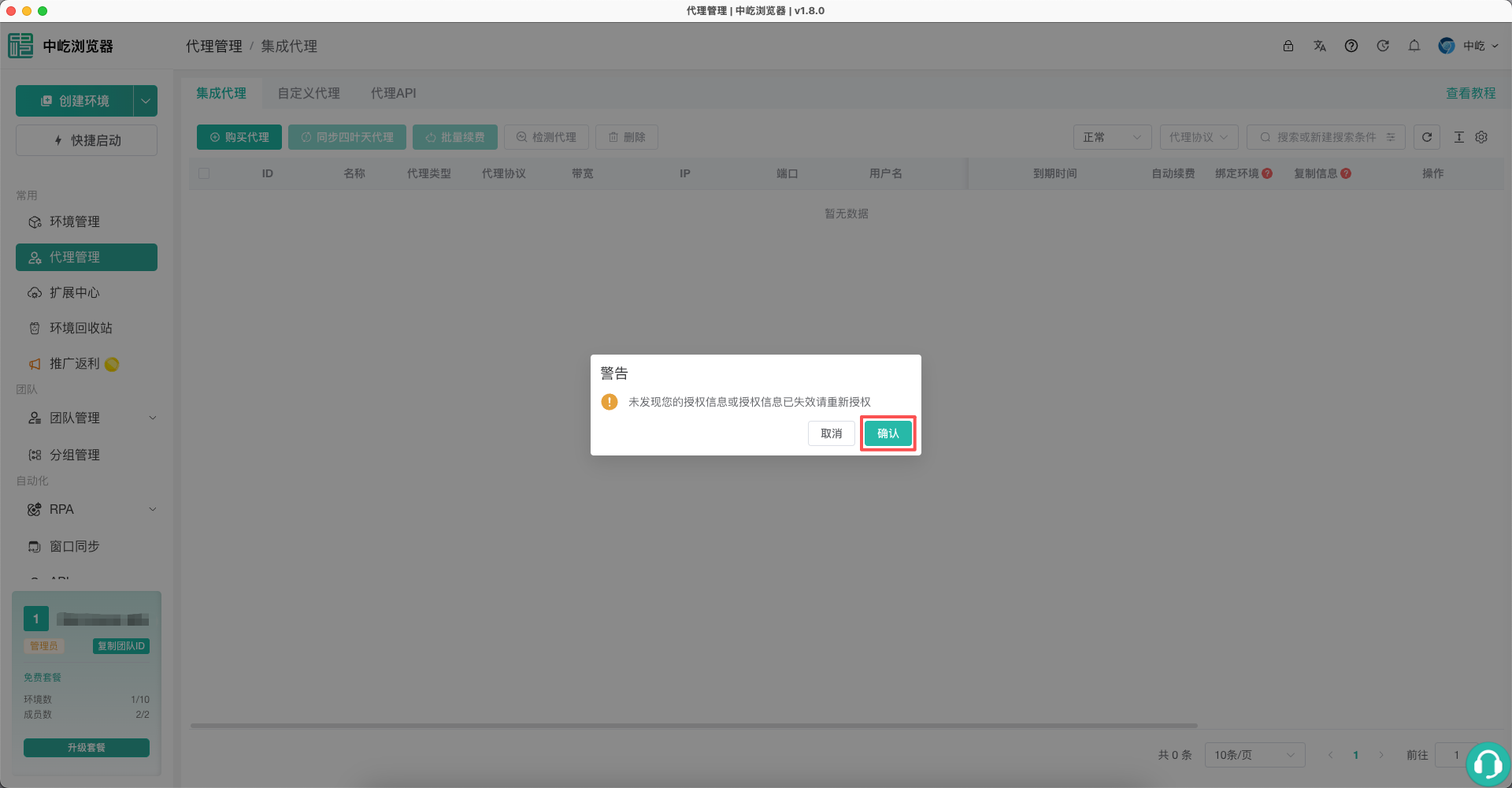
If the current authorization is still valid, the client starts synchronization immediately. If it reports that authorization is missing or expired, click Confirm. The client opens the system browser; do not quit ZYBrowser before authorization finishes.
On the SiYeTian sign-in page, authorize access with the mobile number used to purchase the SiYeTian Proxy.
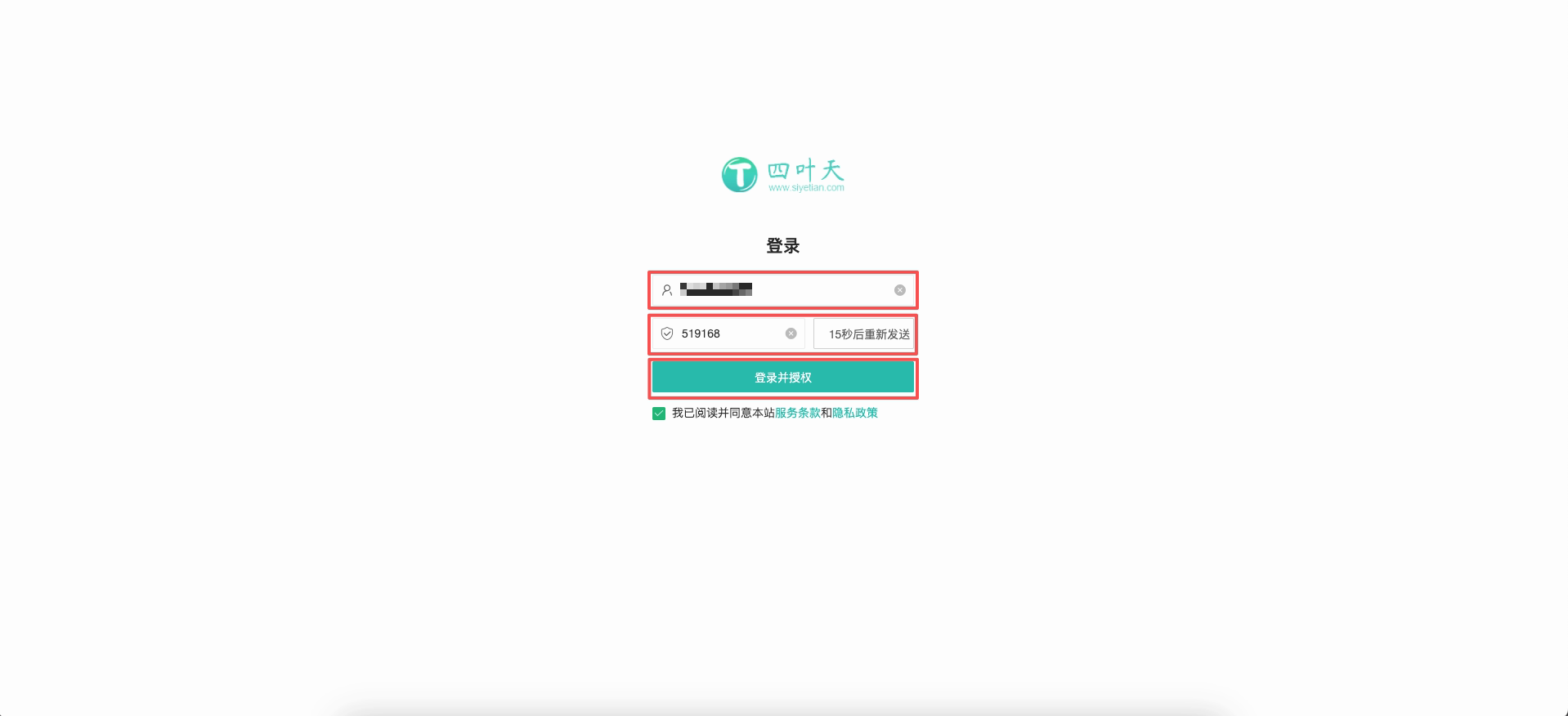
| No. | Feature | Description |
|---|---|---|
1 | Mobile number | Enter the mobile number bound to the SiYeTian account |
2 | Verification code | Request the SMS code and enter it |
3 | Sign in and authorize | Accept the terms of service and privacy policy, then allow ZYBrowser to read the purchased SiYeTian Proxy |
After the page shows that authorization succeeded, the system browser asks whether to open ZYBrowser. Click Open ZYBrowser to return to the client.

Check the Synchronized Proxy
Back on Integrated Proxies, the page reports that synchronization succeeded and lists the SiYeTian Proxy received from SiYeTian. Check the name, proxy type, protocol, and expiration time. Renew at Provider in the actions column opens SiYeTian; a SiYeTian Proxy cannot be renewed inside ZYBrowser.
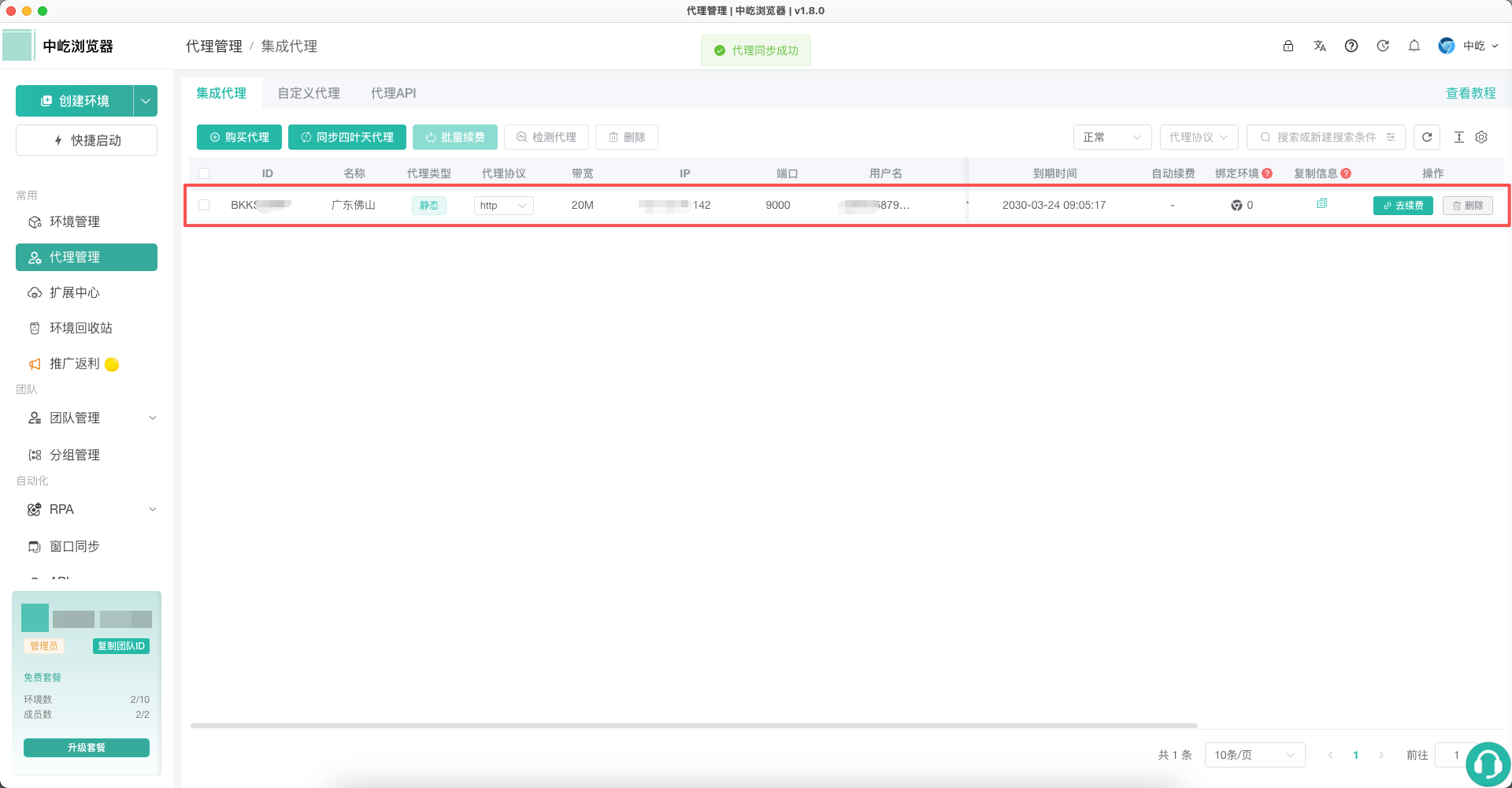
For testing, assignment, and deletion, see Manage Integrated Proxies.
Next Steps
- Create a Profile with a SiYeTian Proxy: Select a synchronized SiYeTian Proxy, then create and launch a browser profile.
- Test, Assign, and Maintain Proxies: Assign a synchronized SiYeTian Proxy to a browser profile.