Manage Platform Accounts
Platform Accounts centrally stores business login information and assigns accounts to browser profiles. A record contains the platform, name, username, password, notes, and a two-factor authentication secret.
Add or Edit an Account
Click Add Account, select a preset or custom platform, and enter the name, username, password, and notes. Enter a two-factor authentication secret directly or upload a QR code image for the client to recognize.
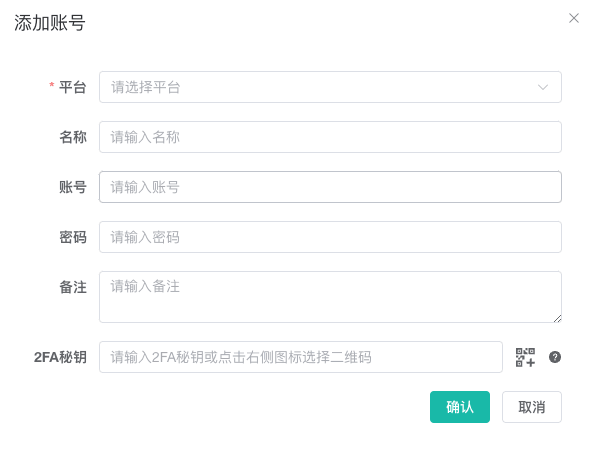
Point to a name or notes in the list to edit it directly. Deleting an account also clears its local cache from the desktop client. Confirm that no profile still uses it.
Assign a Browser Profile
- Click the
Assigned Profilescount for one account and select profiles. Already assigned profiles remain selected. - Select several accounts and click
Assign Profilesat the top to choose profiles for all of them. - In a batch assignment, do not select multiple accounts from the same platform because they would conflict within one profile.
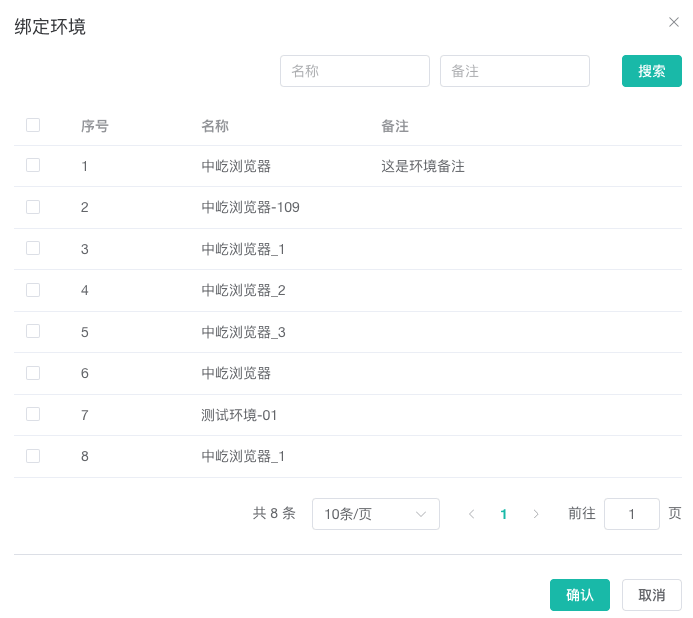
If the profile list is empty, open profile creation from the dialog or prepare a profile through Create and Edit a Browser Profile. This entry also requires profile creation permission.